If you're trying to transfer a domain away from Wix and you keep hitting walls, you're not doing it wrong. Wix is making it hard on purpose.
I just spent two days on exactly this problem for a client. She had a domain registered through Wix, a new site ready to go on Cloudflare Pages, and what should have been a ten-minute nameserver update turned into two days of support tickets, escalations, and waiting. Meanwhile Wix was sending her discount emails and flashing retention offers every time she logged in.
The build was fine. The deployment pipeline was clean. GitHub Actions, Cloudflare Pages, automatic deploys on every push. All of that worked exactly as it should. The domain was the fight. This post covers what actually happened, why Wix works this way on purpose, and how to set up every future client site so this conversation never needs to happen again.
The Project That Went Smoothly (Until the Domain)
The migration itself was clean. New site built, GitHub Actions pipeline configured, Cloudflare Pages deployment running without a hitch. The kind of setup where you push a commit and the site updates in under a minute. My client could see the new site loading fast, looking right, working exactly as intended.
Then we got to the domain.
She had registered her domain through Wix when she first built her site. Completely reasonable call at the time. Wix makes it easy on purpose. Getting out is a different story.
We needed to point the domain to Cloudflare. Cloudflare requires you to update your nameservers before it will accept the domain into its system. Standard process. Ten minutes of work, normally. Except Wix won't let you change nameservers on a domain you registered through them. Not through the dashboard, not through any setting I could find. The option simply doesn't exist.
Two days of support tickets, escalations, and waiting later, the domain was free. The site is live. She owns everything outright now. Her registrar login, her Cloudflare account, her GitHub repo. All hers. But those two days were avoidable, and they happened because of a decision made years ago that seemed harmless at the time.
This part of the process deserved its own post.
Why Wix Won't Let You Change Your Nameservers (It's Not a Bug)
Wix locks nameservers on domains registered through their platform. That's not a technical limitation. It's a business decision.
Here's what's actually happening. When you register a domain through Wix, Wix becomes your registrar and sets the nameservers to point at their own infrastructure. Those nameservers are how your domain resolves to their servers. Change the nameservers, and your site moves. Wix knows this. So they don't give you the option.
Cloudflare's transfer process requires that you update your nameservers to Cloudflare's before the transfer completes. That's the sequence: change nameservers first, then transfer. If you can't change nameservers, you're stuck. The two systems are deadlocked and neither one can move first.
Wix isn't broken here. It's working exactly as designed. Every domain registered through their platform is a customer who can't fully leave without Wix's cooperation. That's not a side effect of their system. That's the point.
This is why website builders offer cheap or free domain registration. The domain is the anchor. Once you register there, you've given them a lever they can use to make leaving expensive in time, frustration, and sometimes money. The domain itself might cost $20 to $25 a year through Wix. Cloudflare charges $10.48 for the same .com. The lock-in is worth far more than the markup to them.
Nameserver control is the mechanism. Vendor retention is the motive.
While we were working through the support escalation, my client got an email from Wix with an offer to stay. Every time we logged into her account, there was a counter on the screen showing new discounts ticking up the longer she stayed. Two days of waiting for a nameserver unlock, and Wix used every hour of it to pitch her on not leaving. If you needed any more evidence that the delay is a feature, not a bug, there it is.
What It Actually Took to Get the Domain Out
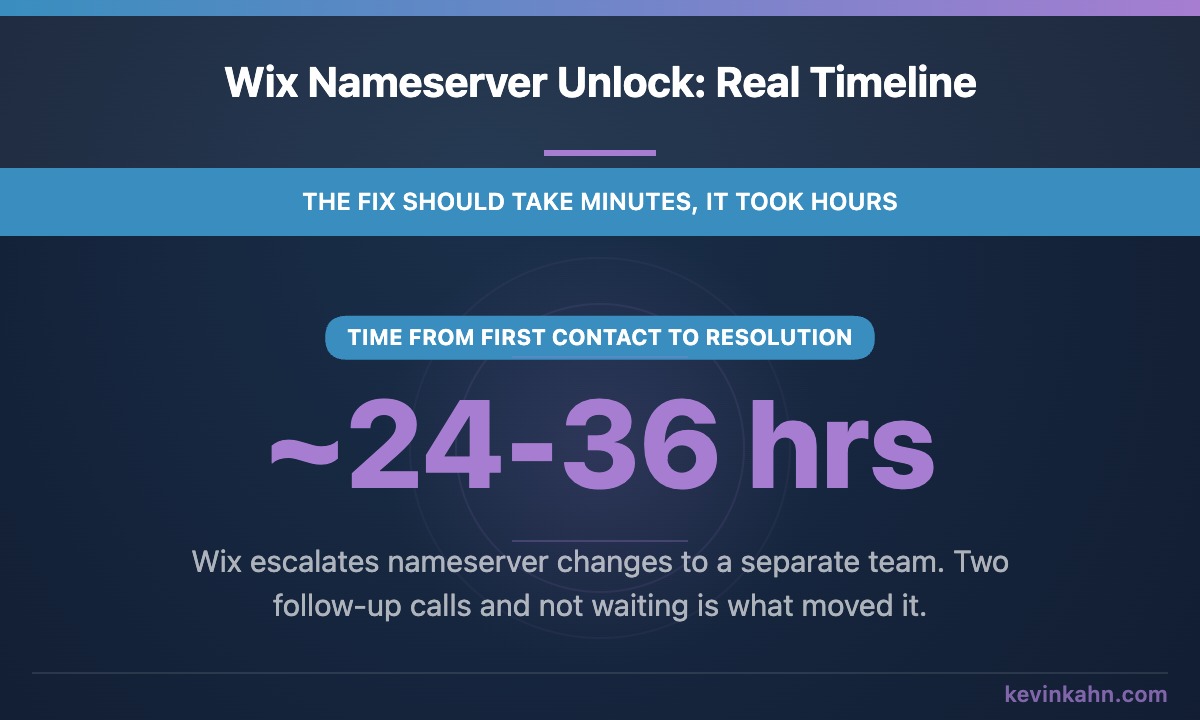
Getting Wix to release nameserver control wasn't fast, but here's exactly how it went and what you need to push for if you're in the same position.
First contact was through their chat feature. Worth knowing upfront: Wix chat starts with an AI bot. You have to explicitly ask to speak with a real person, and it may take a few requests before it connects you to one.
Once I reached a real rep, I explained that the nameserver settings were locked in the Wix admin and that I needed them changed. The rep said they had to escalate it to their domain support team, who weren't available at 9am ET. Initial estimate: up to 48 hours.
That felt like a stall. A 48-hour window to change nameservers is not a technical requirement. It's friction. I took it as Wix doing what Wix does.
I called back about 12 hours later and asked them to escalate. Then called again the following afternoon. That second follow-up is what moved it. They confirmed the nameservers were unlocked and we were good to go.
Total time from first contact to resolution: roughly two days. The fix itself took minutes once they actually did it.
What to have ready before you contact support:
- Ask for a real rep immediately, the chat starts with a bot
- Use the phrase 'nameserver change' explicitly, not 'connect to another host'
- Expect an initial runaround and follow up, don't wait out the 48 hours
- Ask them to put in a request with the Advanced Domain Team
- Patience for at least one escalation
If you genuinely can't get traction, there's a backup. Transfer the domain to Namecheap first. Namecheap accepts incoming transfers from Wix and gives you full nameserver control once it lands. From there you update to Cloudflare's nameservers and proceed normally. It adds a step but it gets you out.
Don't Register Your Domain Through a Website Builder. Ever.
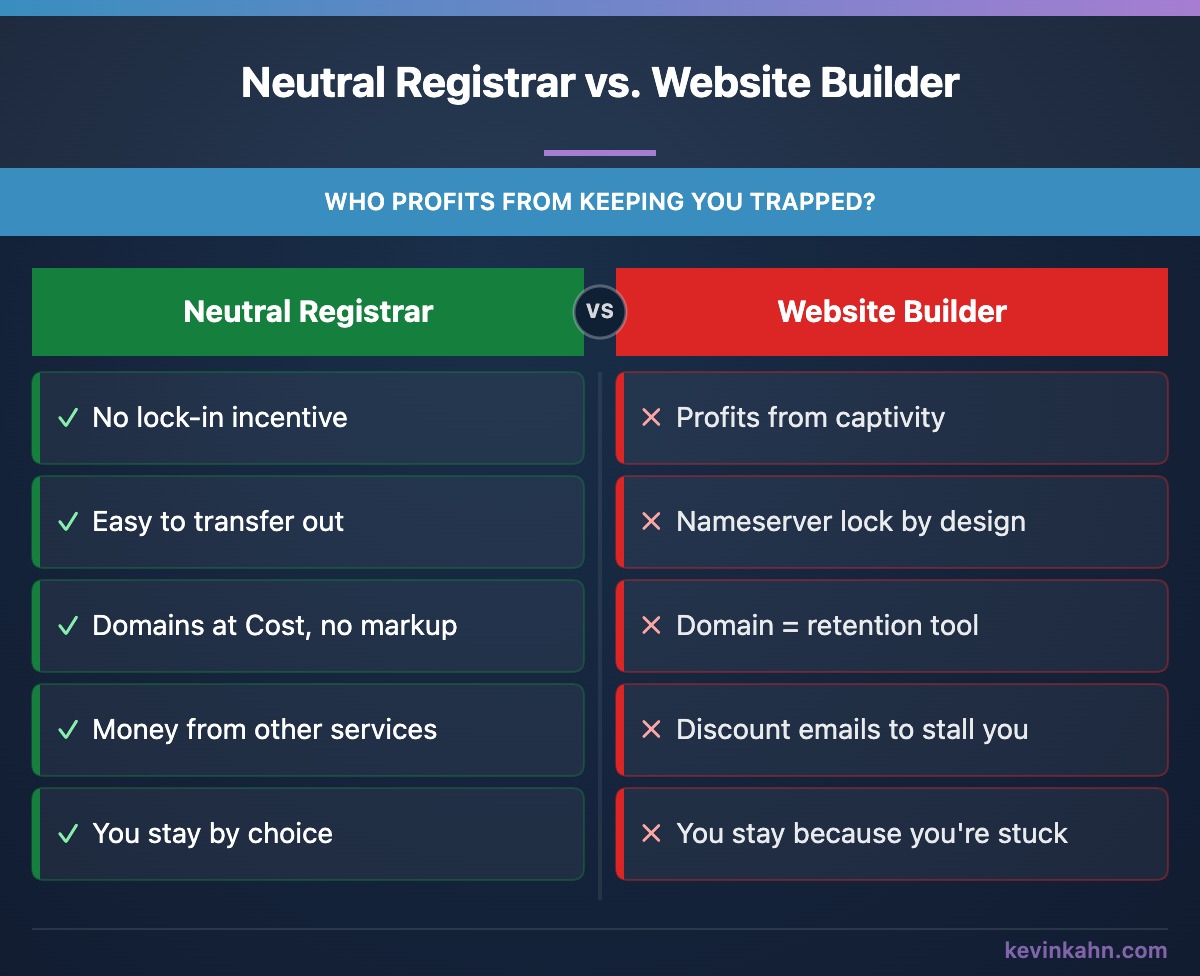
The problem isn't bundling your registrar, DNS, and hosting with one company. I actually use Cloudflare for all three on most client projects and it works great. The domain runs about $10.48 a year at cost, no markup, and hosting on Cloudflare Pages is free.
The problem is bundling them inside a platform that profits from keeping you captive. Cloudflare makes money on enterprise security products and network services. They're not trying to trap you with a drag-and-drop site editor. If you want to leave Cloudflare tomorrow, you can. Nobody is going to lock your nameservers and send you discount emails while you wait.
Wix makes money by keeping small business owners on Wix. The all-in-one pitch, the bundled domain, the templates, none of it is done for your convenience. It's done for their retention.
The question to ask when you're picking where to register a domain is simple: does this company have an incentive to make it hard for me to leave? With a neutral registrar, the answer is no. With a website builder, you already saw the answer this week.
Put your clients on platforms that don't need to trap them to survive. That's the whole principle.
The Stack That Avoids This Problem Entirely
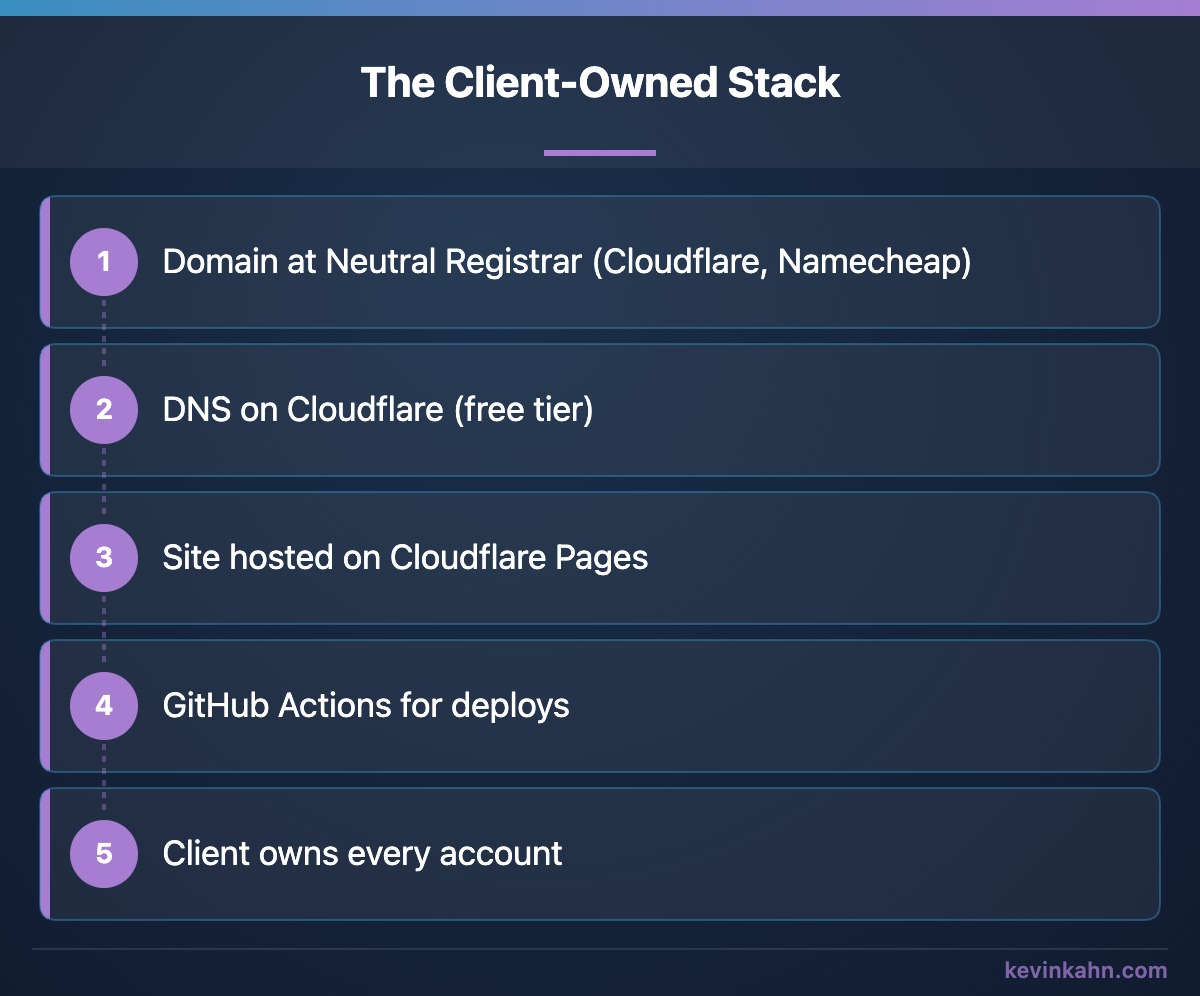
Every new client project I set up follows the same pattern now. It's not complicated. It just requires being deliberate from day one.
This setup means the client could fire me tomorrow and hand the project to someone else without a single support ticket. That's the goal. A client who knows they're not trapped is a client who chooses to stay.
This setup takes maybe an extra hour to configure properly at the start of a project. That's the trade-off: one extra hour upfront versus two days of support escalation later, or worse, a client who can't leave a bad situation because their domain is held somewhere they can't control.
The stack isn't exotic. It's just deliberately structured so that no single vendor can hold anything hostage.
If you're stuck on Wix and wondering whether it's time to leave altogether, I've done that move too. My friend Lyn Gardner was on Wix, and I rebuilt her site as a custom one she owns outright. It's fast, she updates her own blog, and there are no monthly fees. Here's how I did it, and here's what a redesign with me looks like.
If you're in the middle of trying to transfer a domain away from Wix and you're stuck, reach out. I've been through it recently and I'm happy to walk you through exactly what to push for.